A resale workbook for thrift flippers
From thrift find to true profit.
Keep each sourced item connected to what you paid, what it sells for, and the fees along the way. MothMargin puts the resale math in one editable workbook.
Complete workbook · $29 one-time
- Sourced item + purchase cost
- COST IN
- Sale price − marketplace fees
- SALE OUT
- True profit
- WHAT REMAINS
The resale workflow
Follow a find all the way to its margin.
Start with the item you sourced, then record the numbers that show what the sale leaves after its purchase cost and marketplace fees.
01 / SOURCE
Log the thrifted item
Give the find an inventory row and enter its purchase cost while the sourcing details are fresh.
02 / SELL
Add the sale and fees
Record the sale price and marketplace fees. The sample workbook includes editable fee presets and a manual fee override.
03 / REVIEW
See the true profit
See sale price less purchase cost and marketplace fees for each completed resale.
Inside the spreadsheet
Inventory in. Profit in view.
These previews show illustrative sample rows from the workbook. Try the free sample to explore the inventory and editable fee setup.
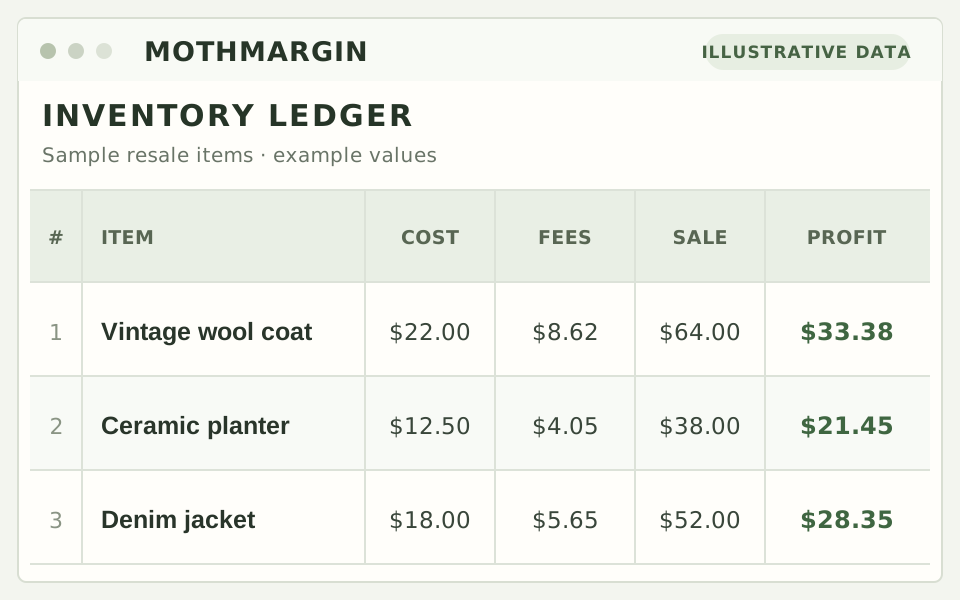
Follow an item from purchase cost through sale and fees.
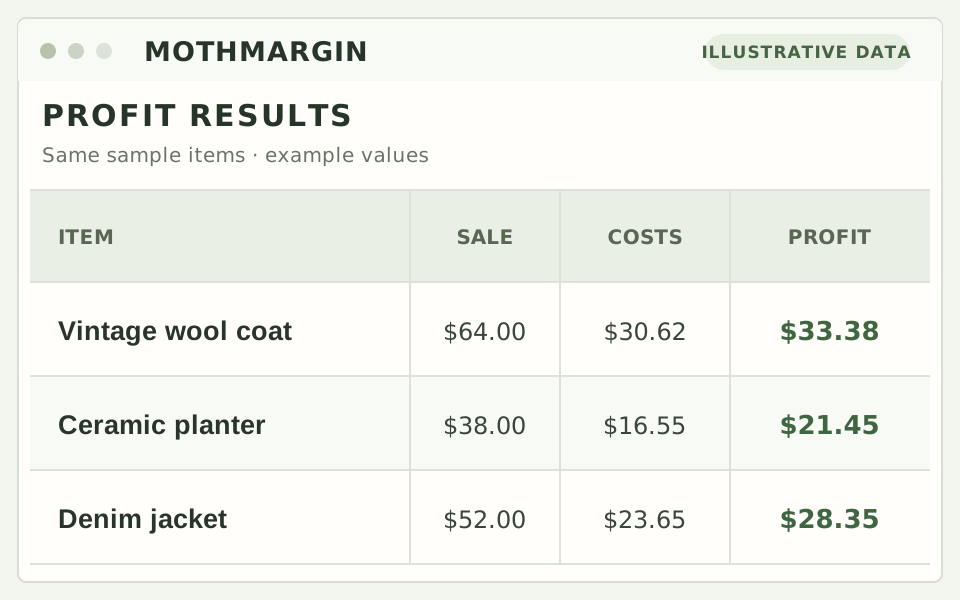
Review what remains after the item cost and marketplace fees.
Marketplace fee presets in the sample are editable estimates, not verified current fee schedules. Check your marketplace account and update the values before relying on them.
Start with your next find
See the workbook behind the numbers.
Download the three-row sample or get the complete editable MothMargin workbook.
$29 one-time